
Sticker Maker for WhatsApp – Create Custom Stickers Easily on Android
WhatsApp stickers have become one of the most popular ways to express emotions in chats. From funny reactions to personal photos turned into stickers, users love sharing something unique instead of plain text. This is where the Sticker Maker for WhatsApp app plays an important role. It allows users to create their own custom stickers without any design experience.
In this article, we will take a detailed look at Sticker Maker for WhatsApp, its features, how it works, and whether it is worth using. This review is written for regular users who want simple and honest information before installing the app.
What Is Sticker Maker for WhatsApp
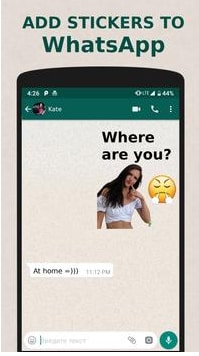
Sticker Maker for WhatsApp is an Android app available on the Google Play Store that helps users create personalized WhatsApp stickers. Instead of downloading ready-made sticker packs, users can design their own stickers using images from their phone gallery.
The app is designed to be beginner-friendly. You do not need professional editing skills or advanced tools. With just a few steps, you can cut images, add text, and publish stickers directly to WhatsApp.
Why Custom Stickers Are So Popular on WhatsApp
WhatsApp stickers are popular because they feel more personal than emojis or GIFs. When users create their own stickers, they can use photos of friends, family, pets, or inside jokes. This makes conversations more fun and expressive.
Another reason is privacy. Instead of using online sticker packs, many users prefer creating stickers from their own photos stored on their device.
Key Features of Sticker Maker for WhatsApp
Easy Image Cutting Tool
One of the main features of Sticker Maker for WhatsApp is its image cutting tool. Users can remove backgrounds manually or automatically. This makes it easy to turn any photo into a clean sticker.
The cutting process is simple and does not require precision skills. Even first-time users can achieve good results.
Text and Emoji Support
The app allows users to add text to stickers. You can change font style, size, and color according to your preference. This feature is useful for creating reaction stickers or adding short messages.
Some versions of the app also support adding basic emojis, which can enhance the look of stickers.
Create Unlimited Sticker Packs
Users can create multiple sticker packs without any limit. Each pack can be organized with a title and icon, making it easy to manage different themes.
This is especially helpful for users who like to create stickers for different moods or groups.
Direct WhatsApp Integration
Once a sticker pack is ready, it can be added directly to WhatsApp with one tap. There is no need to export files manually or follow complicated steps.
This smooth integration saves time and makes the app more convenient.
How to Use Sticker Maker for WhatsApp
Step 1: Install the App
Download Sticker Maker for WhatsApp from the Google Play Store and install it on your Android device.
Step 2: Create a New Sticker Pack
Open the app and tap on the option to create a new sticker pack. Add a pack name and author name.
Step 3: Add Images
Select images from your phone gallery. These images will be converted into stickers.
Step 4: Cut and Edit Images
Use the cutting tool to remove unwanted backgrounds. Add text if needed and adjust the final look of the sticker.
Step 5: Publish to WhatsApp
After adding the required number of stickers, tap on the option to add the pack to WhatsApp. Your stickers will now be available in chats.
User Interface and Design
The interface of Sticker Maker for WhatsApp is clean and simple. All options are clearly labeled, making it easy for users to understand what to do next.
There are no confusing menus or unnecessary buttons. This simple design helps users focus on creating stickers instead of learning how the app works.
Performance and Stability
The app runs smoothly on most Android devices. Image processing is fast, and there are no major delays while editing stickers.
On lower-end devices, some users may experience slight lag when working with high-resolution images, but overall performance remains stable.
Ads and In-App Purchases
Sticker Maker for WhatsApp is usually free to use, but it may show ads. These ads help support the app’s development.
Some versions may offer a premium option to remove ads or unlock extra features. The free version is sufficient for basic sticker creation.
Privacy and Data Safety
According to Play Store information, Sticker Maker for WhatsApp mainly accesses media files stored on your device. This is necessary to create stickers from photos.
Users should always check app permissions before granting access. Overall, the app does not require unnecessary permissions, which is a positive point.
Pros of Sticker Maker for WhatsApp
-
Easy to use for beginners
-
No design skills required
-
Unlimited sticker packs
-
Direct WhatsApp integration
-
Lightweight and simple interface
Cons of Sticker Maker for WhatsApp
-
Ads in the free version
-
Manual cutting can be time-consuming for some images
-
Limited advanced editing features
Who Should Use Sticker Maker for WhatsApp
This app is ideal for WhatsApp users who enjoy personalizing their chats. If you like creating unique content or want to surprise friends with custom stickers, this app is a good choice.
It is also suitable for content creators and small business owners who want to create branded stickers for promotion on WhatsApp.
Tips to Create Better WhatsApp Stickers
Use Clear Images
Choose high-quality images with good lighting. Clear images result in better stickers.
Keep Text Short
Stickers look better with short and simple text. Avoid long sentences.
Maintain Consistent Style
If you are creating a sticker pack, try to maintain a similar style across all stickers. This makes the pack look professional.
Sticker Maker for WhatsApp App Name
App Name: Sticker Maker for WhatsApp
Conclusion
Sticker Maker for WhatsApp is a practical and user-friendly app for anyone who wants to create custom WhatsApp stickers. It offers essential tools without making the process complicated. The app focuses on simplicity, which makes it suitable for beginners as well as regular users.
While it does not offer advanced editing features, it successfully does what it promises. If you are looking for an easy way to personalize your WhatsApp conversations with custom stickers, Sticker Maker for WhatsApp is definitely worth trying.